Prepare the server
Use a modern PHP 8.3-class runtime, a MySQL 8-class database, a PHP-capable web server, and HTTPS for production.
 Documentation
3.1
Documentation
3.1
Official Product Documentation
A practical, production-minded guide to installing, configuring, and operating Clistor 3.1 — from the first database connection to campaigns, automation, forms, reporting, users, branding, and support.
Quick Start
The safest route is simple: prepare the hosting environment, install from the clean release package, use the correct public Application URL, then verify the core product surfaces before real campaign work.
Use a modern PHP 8.3-class runtime, a MySQL 8-class database, a PHP-capable web server, and HTTPS for production.
Prepare the database name, hostname, user, and password before opening the installer.
Keep the directory structure intact and do not carry a live configuration or runtime license-state file from another installation.
Enter the final public Application URL, database details, license information, and administrator credentials.
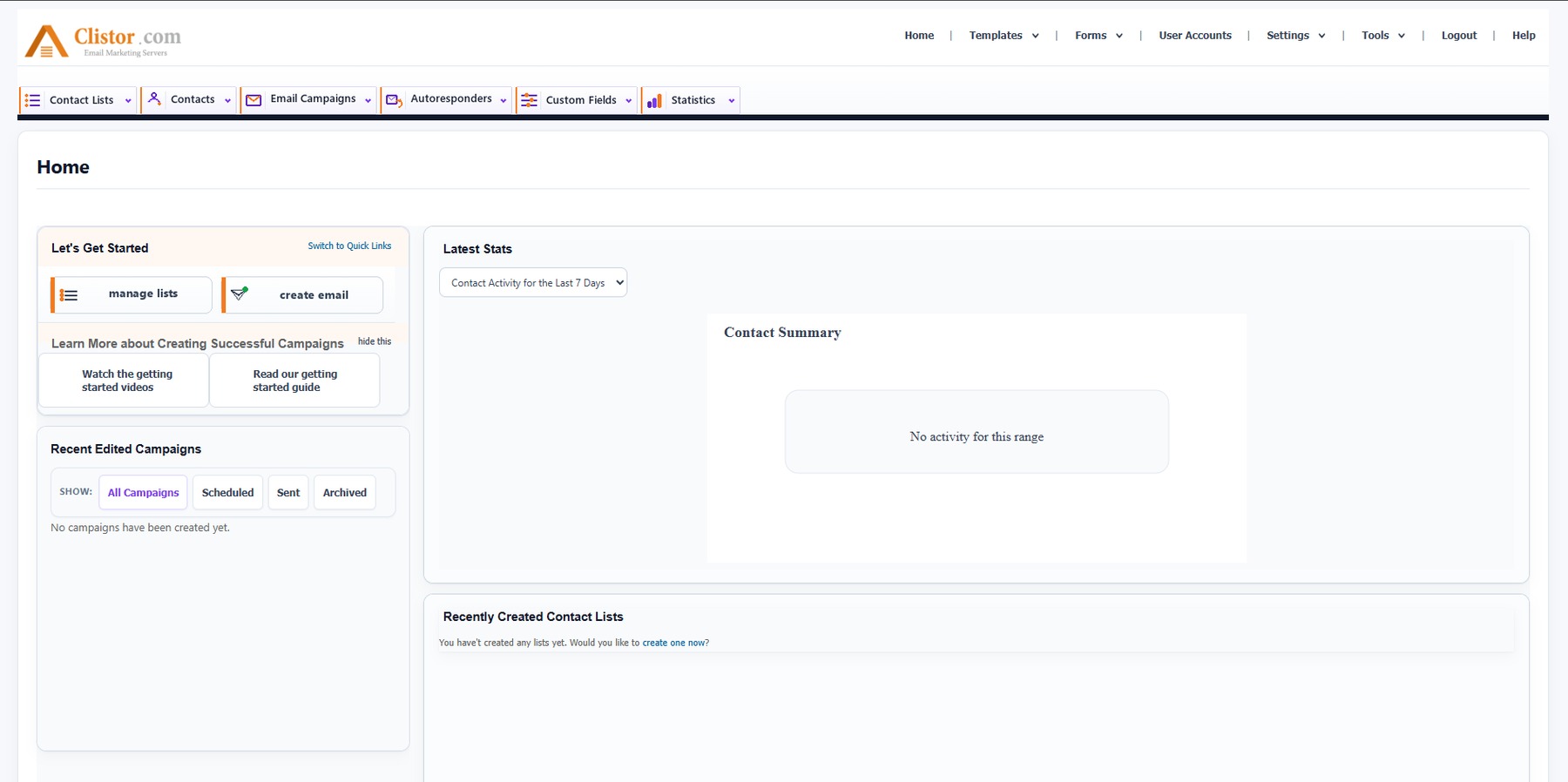
Confirm that Home, Contact Lists, Contacts, Email Campaigns, Templates, Forms, Statistics, Settings, and Help open normally.
Review branding, support links, sending settings, users, permissions, backups, and scheduled tasks before working with a real audience.
Product Interface
Clistor keeps high-frequency workflows in the primary navigation and administration tools in the utility navigation.
Everything in One Guide
Server preparation, database setup, Application URL, license activation, first login, and production checks.
Contacts, campaigns, autoresponders, templates, forms, custom fields, statistics, and built-in Help.
User accounts, permissions, settings, branding, backups, scheduled tasks, and security practices.
Fast checks for database access, links, login, writable paths, scheduled tasks, and sending configuration.
Verified environment, package structure, support contacts, online documentation, and operational checklists.
Clistor also includes an internal searchable Help Center for task-focused guidance while you work.